Skip to content
Beta Access

Beta preview: only the first 3 Grade 5 lessons are open. Tell us what you think!

πŸ§ͺ Beta Access Β· CBC Aligned Β· Grades 5 to 9 Β· Kenya

Coding, CBC Math & Science,
Made Simple.

CodeQuest helps Kenyan students in Grades 5 to 9 learn to code, master CBC math, and explore CBC science through official CEMASTEA Virtual Labs, embedded right in the browser. Built for shared home and school computers, with theory, hands on labs, and checkpoints that keep kids productively busy outside class.

(No card needed to start. Cancel anytime.)

7 day free trial 3 learner profiles CBC aligned content CEMASTEA science labs Quest Pal learning hints
Kenya Β· CBC Aligned Grades 5 to 9
The Problem

Most apps assume things that aren't true here.

Most learning apps assume every child has fast internet and their own laptop. That's not true for most Kenyan homes. Families share one computer. WiFi drops. And most "coding for kids" apps are either foreign, too basic, or too pricey.

CodeQuest is different. It works on one shared family computer. It works even when the internet is slow. And it teaches real skills, from Scratch in Grade 5 to Roblox in Grade 9. We built it in Kenya, for Kenyan homes, without assuming fibre internet, a personal laptop, or a budget built for imported software.

What Your Child Gets

135 lessons. Three subjects. Five grades. No confusion.

Aa

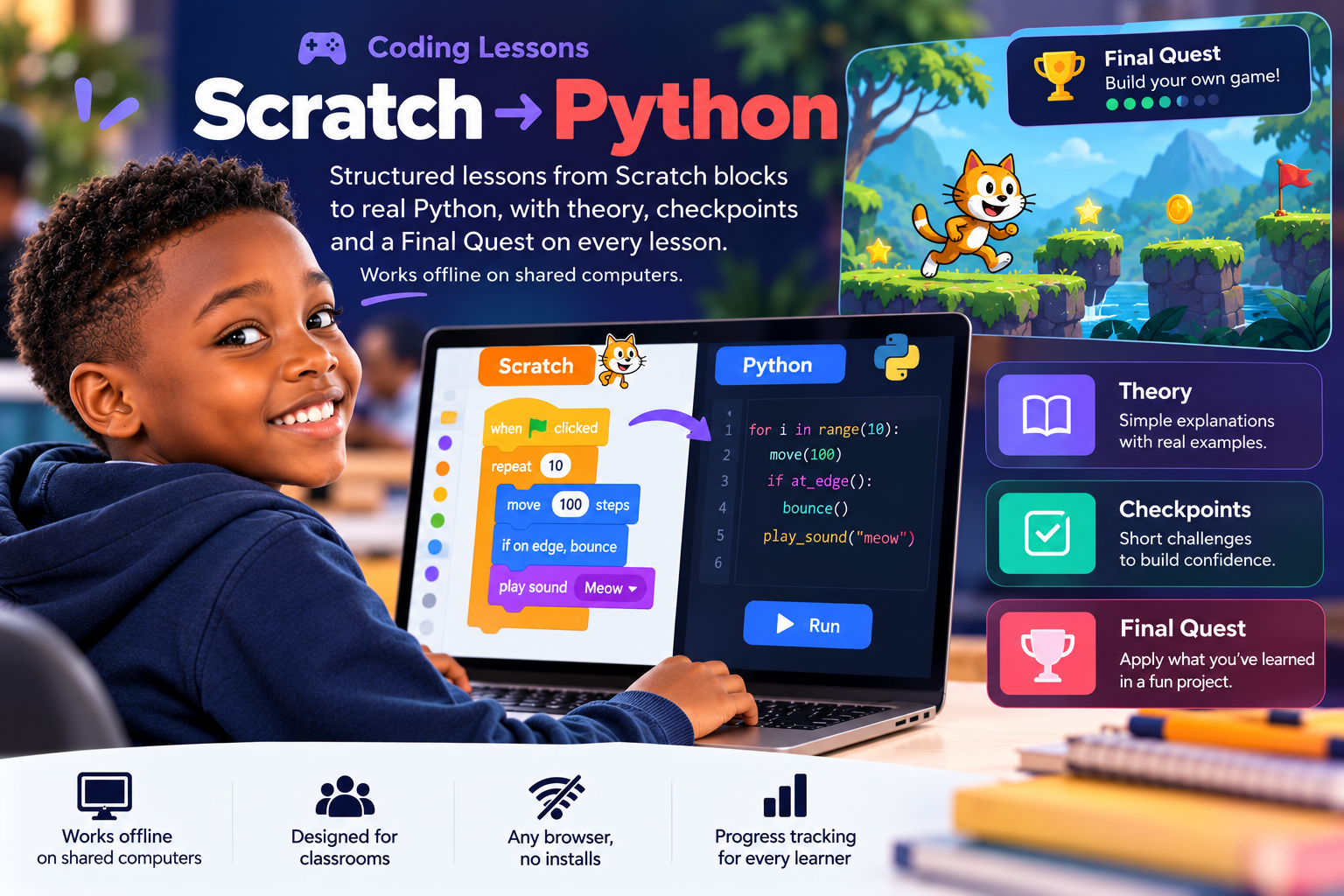
Coding, step by step

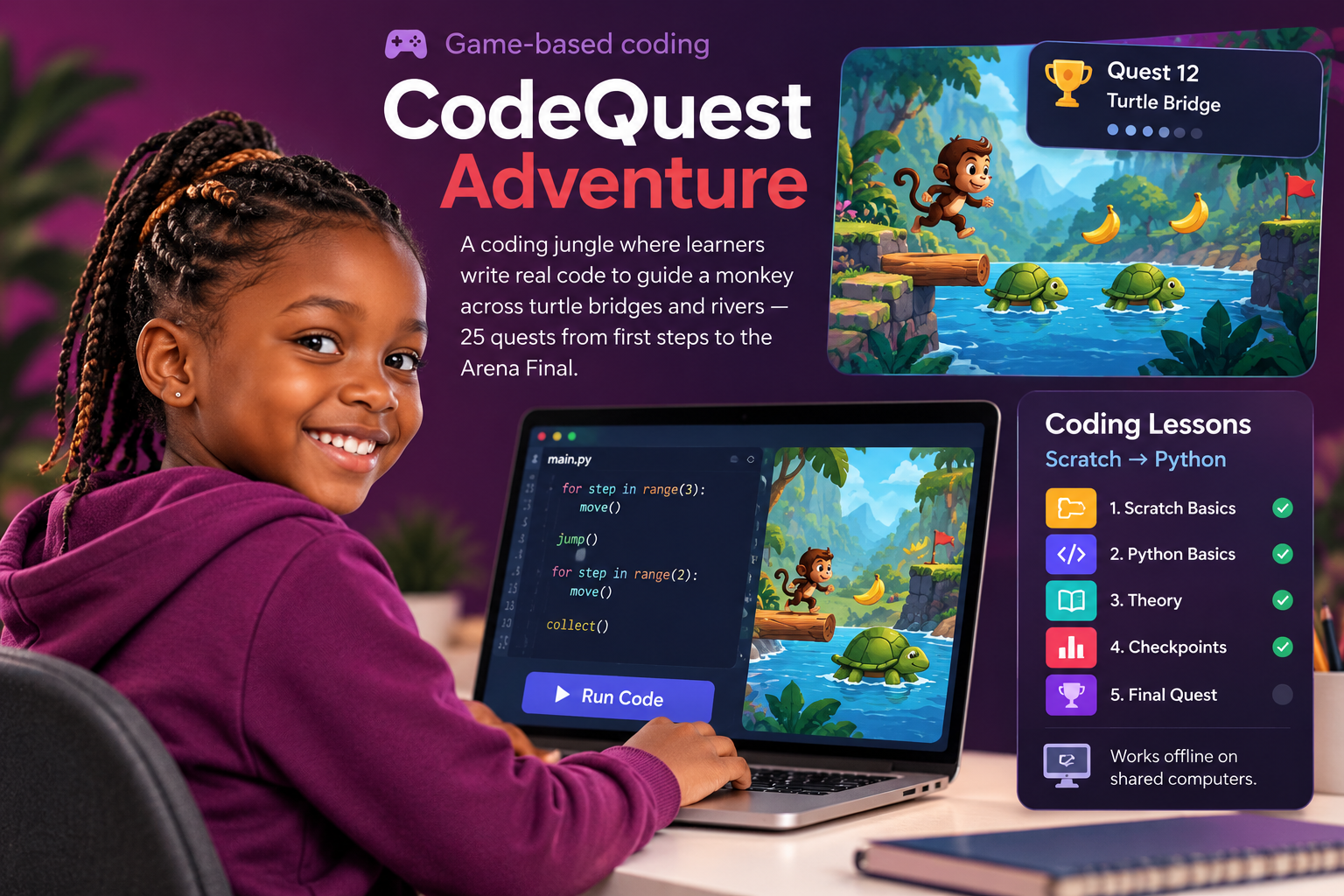
Scratch (Grade 5), HTML & CSS (Grade 6), Python (Grade 7), JavaScript (Grade 8), Roblox (Grade 9). Each grade unlocks in order, so nothing feels rushed.

βˆ‘

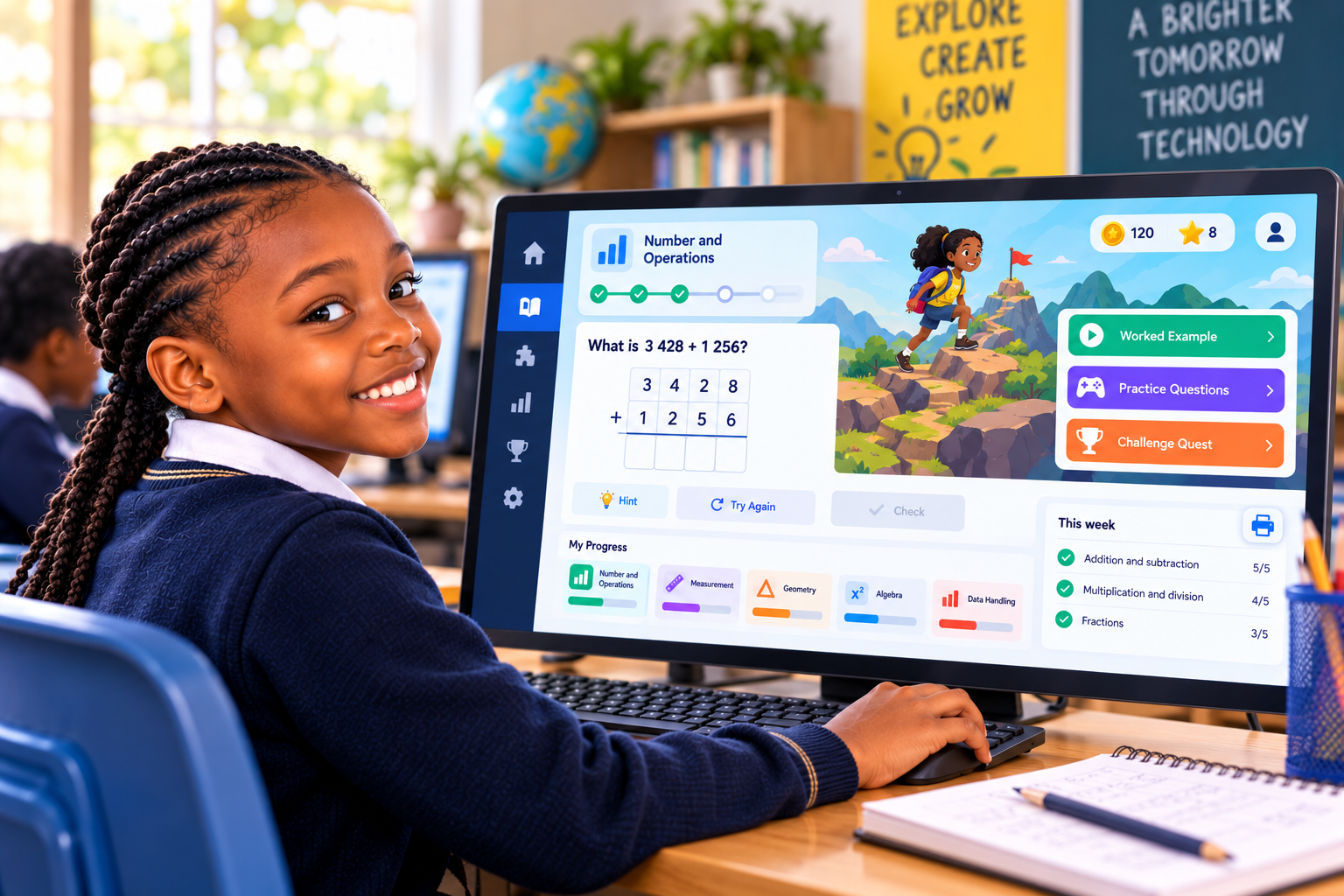
CBC Math that matches school

From basic number skills in Grade 5 to advanced math in Grade 9, built around what's actually taught in class.

πŸ”¬

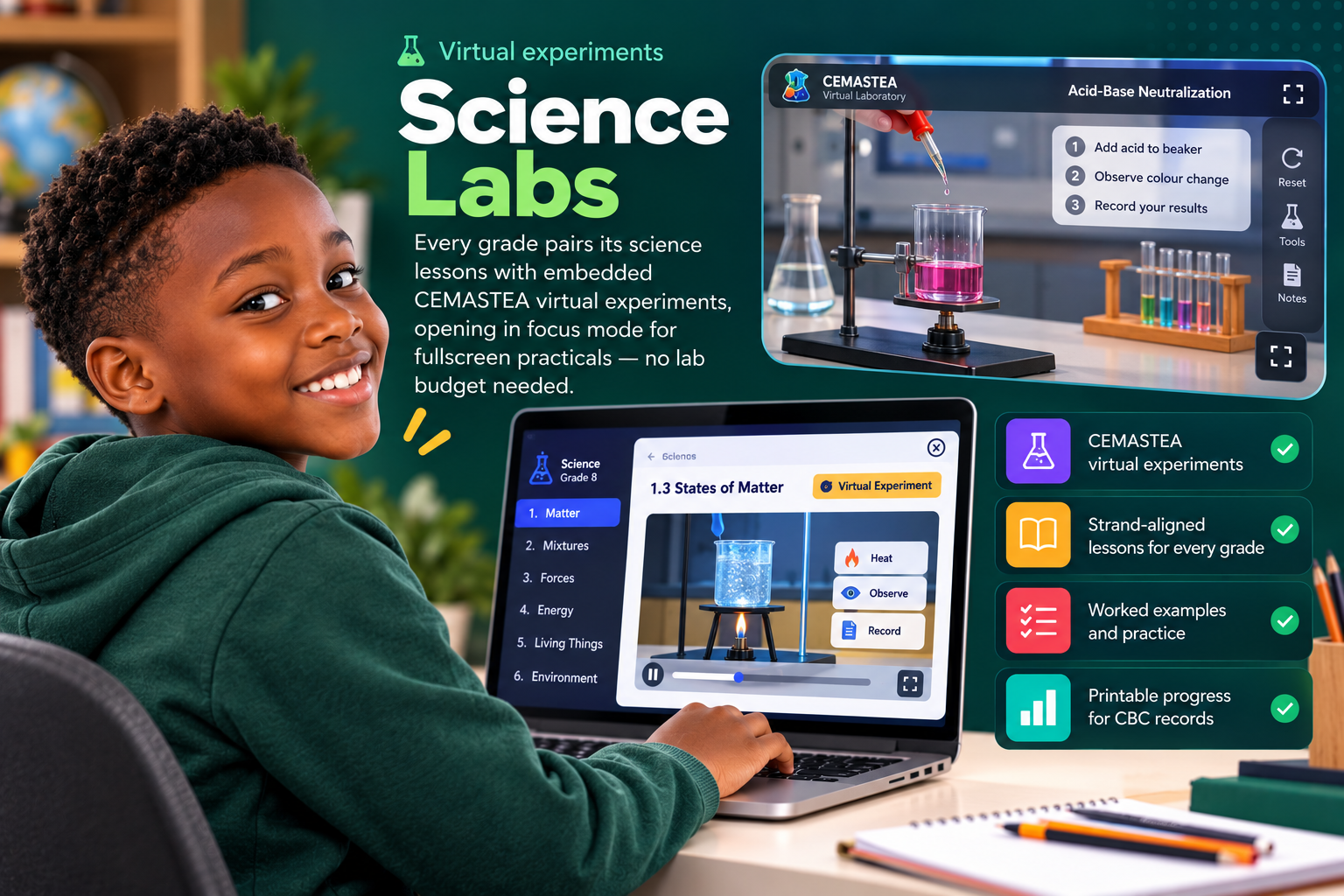
CBC Science with CEMASTEA Virtual Labs

25 labs across Grades 5 to 9. Each lesson pairs theory with an official Ministry of Education virtual experiment, embedded in CodeQuest and matched to your grade.

β—Ž

Focus mode for hands on labs

Science labs open fullscreen. Top bar hidden, CEMASTEA experiment front and centre. Press Esc or tap Exit focus when done.

</>

A real coding space, built in

Kids write real code and see it run, right in the browser. Nothing to install. Nothing to break.

βœ“

A real test after each lesson

Not just a quiz. A proper check that the lesson actually sank in, before the next one unlocks.

β˜…

Badges & certificates

Earn First Steps, Perfect Quest, streak badges, grade certificates, and the Grandmaster trophy.

πŸ¦‰

Quest Pal: AI assisted hints

Stuck on a step? Ask Quest Pal. It searches lessons, the codebook, and glossary to give kid friendly hints, without spoiling Final Quest answers.

β–€

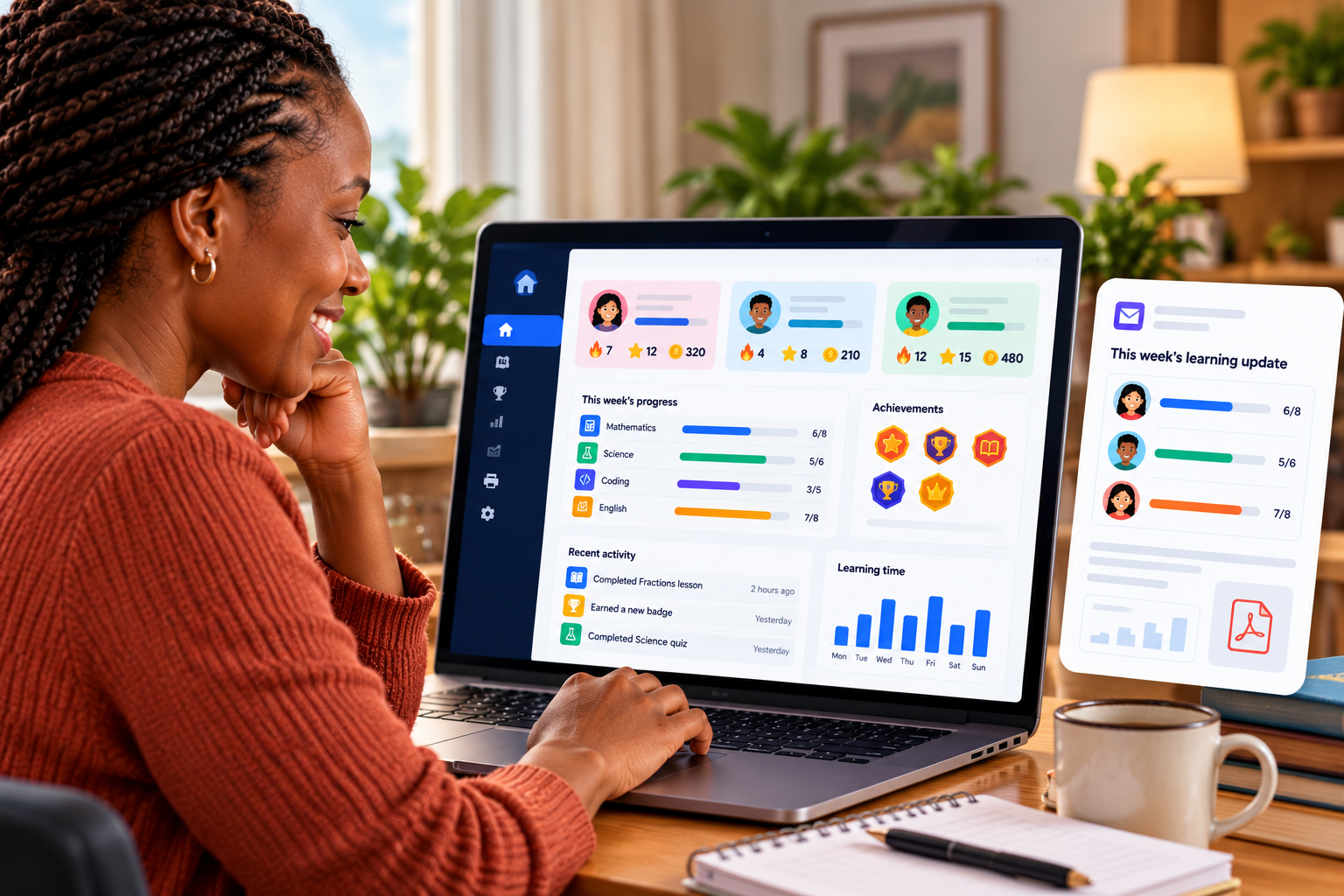
Parent reports

Print ready CBC progress summaries by strand. Share with teachers at parents' evening.

β†―

Works even when the internet doesn't

Once a lesson loads, most of it keeps running on a weak connection. Built for shared home and school computers.

β†’

Referral rewards

Know another family that would love this? Refer them and both of you get rewarded.

Meet Quest Pal

Stuck on a lesson? Ask the owl.

Quest Pal searches 135 lessons (coding, math, and science), plus the Codebook and glossary to give kid friendly hints, without spoiling Final Quest answers.

  • Answers from your actual CodeQuest content
  • Hint style help, not homework cheats
  • Available on dashboard, lessons, math, and science labs
Try Quest Pal free β†’
How It Works

Four steps. No confusion.

01

Create one family account

Up to 3 profiles, so brothers and sisters don't share a login. Each profile keeps its own progress, badges, and streaks separately.

02

Pick a grade, start a lesson

Read the theory, run the lab (science opens CEMASTEA in focus mode), practice with checkpoints, then pass the Final Quest.

03

Check progress as a parent

See what's done and what needs work, in plain language, in the Parent Hub. No coding knowledge required.

04

Stay motivated

Badges, streaks, and coins keep kids coming back on their own, without you needing to nag them to log in.

Built for Kenya

Built for how Kenyan families actually learn.

CodeQuest runs on the shared family or school computer, not a personal device. It's built to work even when the internet is slow. Every shilling goes into lessons and progress, not features your home WiFi can't support.

Works well on a shared computer Built for slow or unreliable internet Simple enough for any parent to follow
Schools & ICT labs Coming soon

School version is on the way

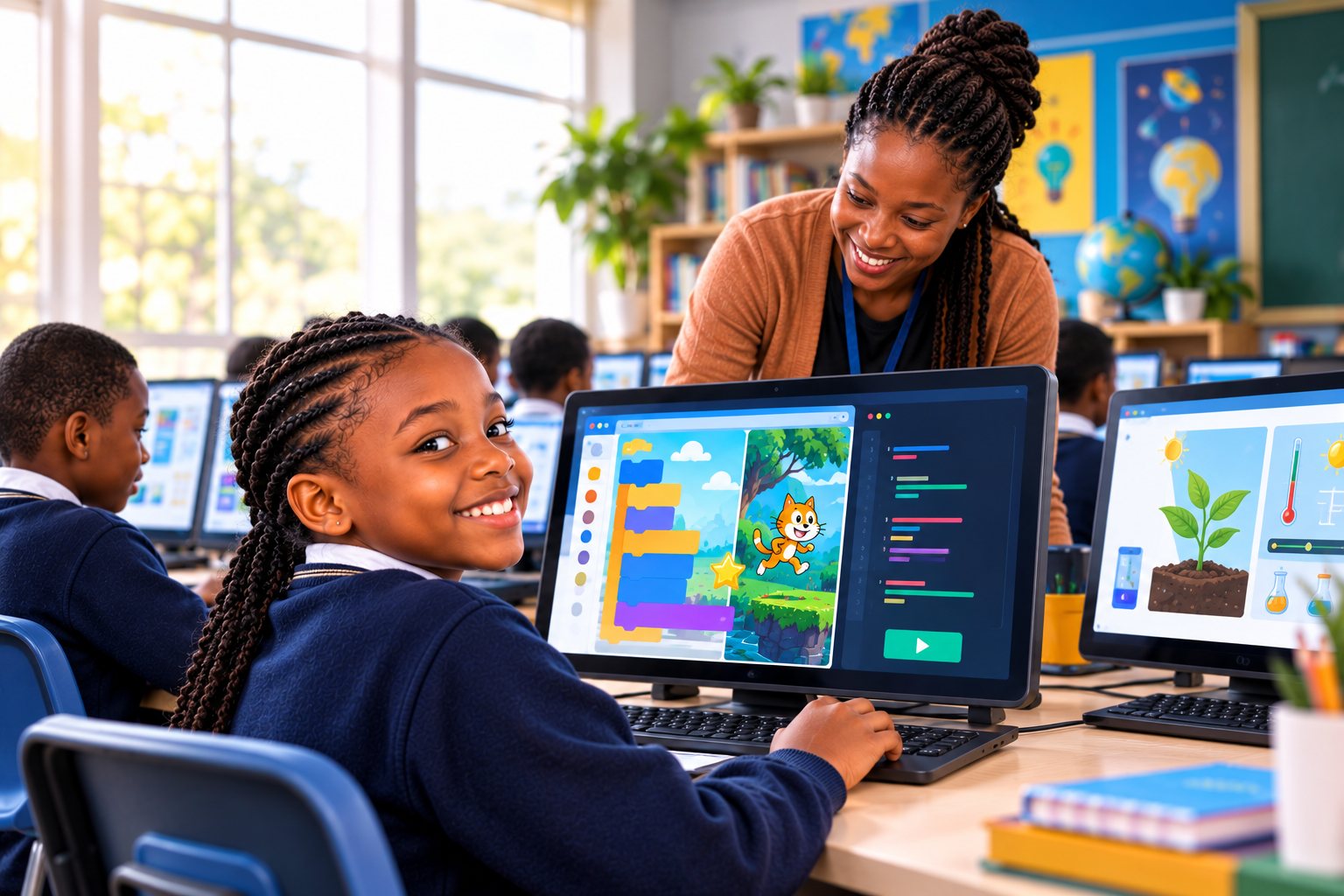
We're building a classroom edition for Grades 5 to 9: 135 CBC aligned lessons, a master teacher account, class hub, and 25 CEMASTEA Virtual Labs science labs, all in the browser on shared lab PCs. Join the waitlist to be first when enrolment opens.

  • Master teacher account for your whole class or lab
  • Class hub with learner launch and Quest Pal assist
  • Teacher resources, session plans, and CBC reports
  • Runs in the browser on existing PCs. No installs
Email us No commitment Β· we'll notify you when enrolment opens
Planned school features Everything below is in development
  • Master teacher account One login manages every learner profile, class settings, and assistance
  • All 135 lessons Coding, CBC math & science across Grades 5 to 9
  • 25 science labs CEMASTEA Virtual Labs embedded in focus mode
  • Unlimited learner profiles Add, edit, and launch learners from one school licence
  • Quest Pal assist mode Teachers help learners with grade aware hints from lessons and codebook
  • Class progress reports Printable CBC summaries for teachers & parents
  • Built in coding lab Scratch, Python, HTML/CSS. No installs.
  • Lab PC friendly Runs in browser; works on slow connections
  • Badges & certificates Motivate learners with streaks and wins
  • Pilot & onboarding We help you roll out term by term
  • School billing Invoice, M Pesa, or annual licence
01

Join the waitlist

Tell us about your school. We'll email you when the classroom edition opens for pilots.

02

Pilot with one class

Try CodeQuest in a lab period. Teachers get CBC aligned content without building lessons from scratch.

03

Roll out school wide

Move to a term or annual licence with onboarding, learner profiles, and parent reporting.

Why Parents Choose CodeQuest

Real families, real progress.

"My son shares a laptop with his sister, and it still works perfectly for both of them. That was the deciding factor for us."

A parent in Nairobi

"I don't know how to code, but the Parent Hub tells me exactly where my daughter is. That's all I needed."

A parent in Kisumu

"Our home WiFi is unreliable at best. CodeQuest is the first learning app that didn't fight us on that."

A parent in Mombasa
135
Lessons & labs
3
Subjects
5 to 9
Grades
3
Profiles
CBC
Aligned
Pricing

7 days, free. No card, no fine print.

Try CodeQuest first. Pay after, if you like it. Choose Monthly or Yearly and cancel whenever you want. One plan covers 3 learner profiles and all 135 lessons, with no hidden fees and no per child upcharges.

Monthly
KES 500/mo
  • 3 learner profiles
  • All 135 lessons & badges
  • Parent progress reports

Pay with M Pesa or card. If you don't subscribe after the trial, your account simply pauses. No surprise charges.

Get started free β†’

πŸ‘¨β€πŸ‘©β€πŸ‘§ Parents, this one's for you

You don't need to know how to code to know if your child is learning. The Parent Hub shows you, in plain language, what's done and what needs attention. No jargon. Just a clear answer to "is this working?"

Refer a friend

Know another parent looking for something good for their child? Tell them about CodeQuest, refer them, and you'll both be rewarded.

Refer a friend
Frequently Asked

Common questions

Does this replace school?

No. CodeQuest works alongside the CBC curriculum, not instead of it. Math and science follow what's taught in class. Coding is an extra skill on top.

What are the science labs?

25 CBC science labs, five per grade. Each has theory, an embedded CEMASTEA Virtual Lab experiment, practice questions, and a Final Quest. Labs open in focus mode for a fullscreen, distraction free experience.

What is CEMASTEA?

CEMASTEA (Centre for Mathematics, Science and Technology Education in Africa) provides official CBC virtual labs used in Kenyan schools. CodeQuest embeds them per lesson. No separate login needed.

Can more than one child use one account?

Yes. One account, up to 3 profiles, one payment.

What if our internet is unreliable?

CodeQuest is built for that. Once a lesson loads, most of it keeps working even on a weak connection.

Why is my lesson locked?

Coding and science lessons unlock in order. Complete and pass the previous lesson's Final Quest before the next one opens. Math lessons can be done in any order within a grade.

Why do I see different quiz questions each time?

Mini quiz questions rotate from a question pool each session so learning stays fresh and engaging.

What happens after the free trial?

You can subscribe with M Pesa or card. If you don't, the account simply pauses. No surprise charges.

What is Quest Pal?

Quest Pal is CodeQuest's built in learning assistant. Kids ask questions in plain language and get hints pulled from lessons, the Codebook, and glossary, without giving away Final Quest answers.

Does Python actually run?

Yes. The Coding Lab uses Skulpt.js to run real Python code in browser.

What devices does CodeQuest work on?

Any computer with a modern browser: Windows, Mac, or a school lab PC. No installs required beyond the browser you already have.

Can I switch between Monthly and Yearly?

Yes, you can switch plans at any time from your account settings. Any remaining time on your current plan is factored into the switch.

Is my child's data safe?

Progress and profile data is stored securely and only used to power your child's learning experience and your Parent Hub reports.

Do you offer plans for schools?

The school version is coming soon. Join the waitlist via the Schools link in the footer and we'll notify you when classroom enrolment opens.

135 lessons. 3 subjects. 5 grades. One family plan.

Coding, CBC math, and CEMASTEA science labs, without needing fibre internet or a laptop of their own. Start free today and see the first lesson unlock in minutes.

Get started free